Members and permissions
The two instance roles
Section titled “The two instance roles”| Role | Can do |
|---|---|
| Admin | Everything: create projects and users, change instance settings, and the two project settings an owner does not get. |
| Member | Work in the projects they have been granted, and nothing else. |
Project access
Section titled “Project access”A member sees only the projects they have been given access to. Everything follows from that: the sidebar, global search, My tasks and every API response are filtered to what the account may see.
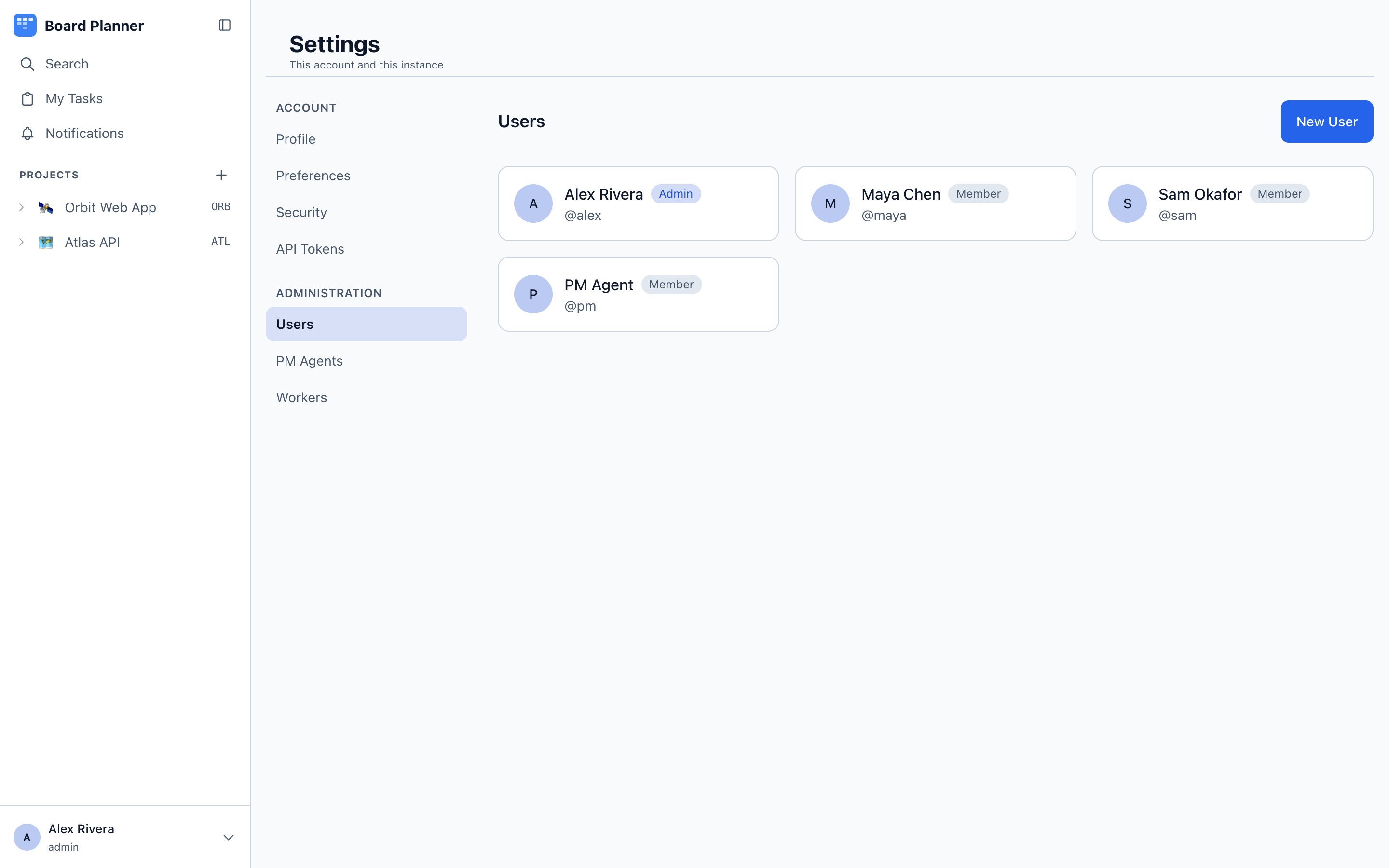
Access is granted per project — not as a property of the account. Under Settings → Users an instance administrator creates accounts (username, full name, password, and optionally an email address); an account created there sees no projects at all until one of them lets it in.
Right after an account is created, the confirmation says exactly that — They will see no board until you add them to one — and offers Add to a board. It asks for a board and a role (Member or Owner) and grants it on the spot; it is the same grant a board’s Settings → General makes, so it can be changed or taken away there later. The offer is only on the confirmation, which stays up for about ten seconds and goes as soon as you leave Settings → Users; after that, add people from the board.
A member who signs in while no board has let them in sees only You are not on any board yet.
Being added to a board, and having your level on one changed, sends that person a notification — Agnieszka Nowak added you to Orbit as a member — which opens the board. It is a row of their own notification grid, so they can switch it off like any other; see My tasks and notifications. Being removed from a board sends nothing.
Owner or member, per project
Section titled “Owner or member, per project”Open a project’s Settings → General. Each person there carries one of two levels:
| Level | What it means on that project |
|---|---|
| Owner | Runs the project: its identity, board, task fields, integrations, workers, audit log, the PM agent’s context and autonomy, and who else gets in. What stays with an instance administrator is below. No instance powers — an owner still cannot create users. |
| Member | Works on tasks and sprints, and cannot change the project’s settings. |
Whoever creates a project is its first owner. Instance administrators always have full access to everything and are listed there for reference rather than granted.
The right level for a team lead is Owner on their own project and Member everywhere else. That is the whole point of the split: full authority over one board, none over the instance.
What an owner does not get
Section titled “What an owner does not get”- The workers lock. An owner switches workers on and off for their project. An instance administrator can lock them off, and the lock wins: the owner cannot switch workers back on or lift it (An instance admin has locked workers off for this project).
- The PM agent’s switch, model and daily caps. An owner sets what the agent knows and when it acts on its own; whether it may run at all, which model it uses and what it may spend are the instance’s.
Registering a worker, by contrast, is not an administrator’s job and has not been since the machine stopped taking anyone’s work but its owner’s. Anyone signed in may enrol a machine from the menubar app on it; it then reaches exactly the projects they reach. See Setting one up.
Passwords, and getting back in
Section titled “Passwords, and getting back in”A password is at least eight characters. Machine accounts — a worker’s, and the PM agent’s pm — have none: they sign in with a token, an attempt to give one a password is refused, and the sign-in form refuses a machine account whatever it is sent.
Three routes lead to a new password:
| Route | Who takes it | What else it does |
|---|---|---|
| Settings → Users | An administrator, for anybody | Signs that account out everywhere, revokes what it minted, and stops any reset link already sitting in its inbox |
| Settings → Security | The account itself, giving its current password | Ends its other sessions and revokes what it minted, leaving the session in front of you |
| Forgot your password? | The account itself, by email | Signs that account out everywhere and revokes what it minted — including whoever is signed in on the old password |
What it minted is its API tokens, its connected apps (Claude Code included) and the machines it enrolled — see A password change revokes more than sessions.
That last column is the point of the third route. Somebody resetting a password they believe was stolen is trying to end a session they cannot see.
Reset by email
Section titled “Reset by email”The sign-in screen carries a Forgot your password? link. It asks for a username or an email address, and answers the same way every time: if the account exists and has an address, a link is on its way. It says exactly that for an account that does not exist, for one with no address, and for a machine account — otherwise the form would become a way of asking who has an account here, which the sign-in screen itself refuses to answer.
The link works once and expires after an hour. Following it sets the new password and ends every session the account had.
A link also stops working before its hour is up when a newer one is requested, when an administrator sets a password, when the owner changes their own, and when the account’s email address changes. Clicking a link that has already been spent says so, rather than implying it was never real.
An address is what makes an account resettable
Section titled “An address is what makes an account resettable”The email address is optional and unique to one account. Without it there is nothing to send a link to, and the only way back in is an administrator setting a password.
Changing an address is therefore a change of who can take the account over at the next reset. It ends any link already sent to the old inbox, and it is recorded in the instance audit log — unlike a password change, it signs nobody out, so that entry is the only trace it leaves.
Changing your own address
Section titled “Changing your own address”On an instance that can send email, a new address you enter under Settings → Profile does not take effect straight away. The instance sends a link to the new address, and the address on the account stays as it was until that link is opened and Confirm this address is pressed. Until then the profile shows the change as waiting, with a way to cancel it.
- The link works for 24 hours and once. Asking for another address replaces the pending one.
- Opening the link is not enough on its own — the confirmation is the button — so a mail scanner that follows every link in an inbox cannot confirm an address for somebody.
- Once it is confirmed, the previous address is told that it no longer recovers the account.
- An account can ask for three confirmation emails in 15 minutes.
- A password reset, a password change, an administrator setting a password or changing the address, and clearing the address yourself all cancel a pending change, so a link still sitting in somebody else’s inbox cannot move the address back afterwards.
A typo therefore costs nothing: the old address keeps working until the new one is proven. Clearing the address, and any change on an instance without SMTP, still takes effect at once. An address an administrator sets under Settings → Users also takes effect at once.
When the instance cannot send email
Section titled “When the instance cannot send email”Reset by email needs SMTP configured (see Configuration). An instance without it says so plainly on the form instead of promising a link that will never arrive, and the way back in is an administrator setting a password under Settings → Users.
How long a session lasts
Section titled “How long a session lasts”Signing in sets a cookie holding an opaque token; the password is never stored in it and never sent again.
Two windows run at once. The idle window is 30 days and slides forward as you use the app, so an account in daily use is never signed out by it. The absolute cap is 90 days from the sign-in and does not slide — after it, everyone signs in again, however active they have been.
Changing your password ends every other session but leaves you signed in on the device you changed it from. It also invalidates any password-reset link still sitting in your inbox — having changed the password yourself, you have answered the question that link was asking — and revokes your API tokens, connected apps and enrolled machines.
Too many failed attempts
Section titled “Too many failed attempts”Repeated failures against the sign-in form are throttled, and the refusal is Too many failed attempts. Try again later. The window is 15 minutes and it lapses on its own — nothing has to be unlocked by hand.
Two counts run at once. One is per account, so guessing at one person’s password does not consume anybody else’s allowance. The other is per source address across every username, so trying one password against fifty accounts is caught even though no single account’s count ever climbs.
Two things are worth knowing before someone reports being locked out:
- A password change clears the account’s count immediately, from every address rather than only the caller’s. So the way out of a lockout is to reset the password, not to wait — at the cost of setting up its tokens, connected apps and machines again.
- On an instance with no proxy in front of it, the per-account count is shared. The app will not read
X-Forwarded-Forunless an administrator has said a proxy is there (seeTRUSTED_PROXY_HOPS), and without it there is no address to tell callers apart. The threshold is raised to compensate, but somebody determined can still fill it and keep other people out of the form until the window lapses. Setting that variable is what fixes it.
A password change revokes more than sessions
Section titled “A password change revokes more than sessions”Changing, setting or resetting a password is how somebody ejects whoever has their password — and anything that person minted with it would otherwise outlive every session. So every one of the three routes also revokes:
- the account’s API tokens;
- its connected apps — Claude Code and anything else that signed in through the consent screen;
- the machines it enrolled — each keeps its identity and its owner, but its credential stops working until it is enrolled again — along with enrolment codes not yet used.
Expect to create new tokens, reconnect Claude Code and re-enrol your machines afterwards. Settings → Security and Settings → Users say so before you confirm; the reset page says so once the new password is set.
What a username may be
Section titled “What a username may be”Lower case, starting with a letter or a digit, up to 32 characters of letters, digits, dots, hyphens and underscores. The instance mints machine accounts under the same rule — a worker is worker- followed by 24 hex characters — so the ceiling is not arbitrary.
Two names are reserved for those machine accounts and cannot be given to a person: pm, and worker- followed by 24 hex characters.
Tokens follow the same rules
Section titled “Tokens follow the same rules”An API token never grants more than its owner has. It can grant less: a scoped token is limited to chosen projects and behaves as a member inside them, with no administrative powers, whoever created it. The scope is enforced centrally, so it applies identically to REST and MCP.