The task detail
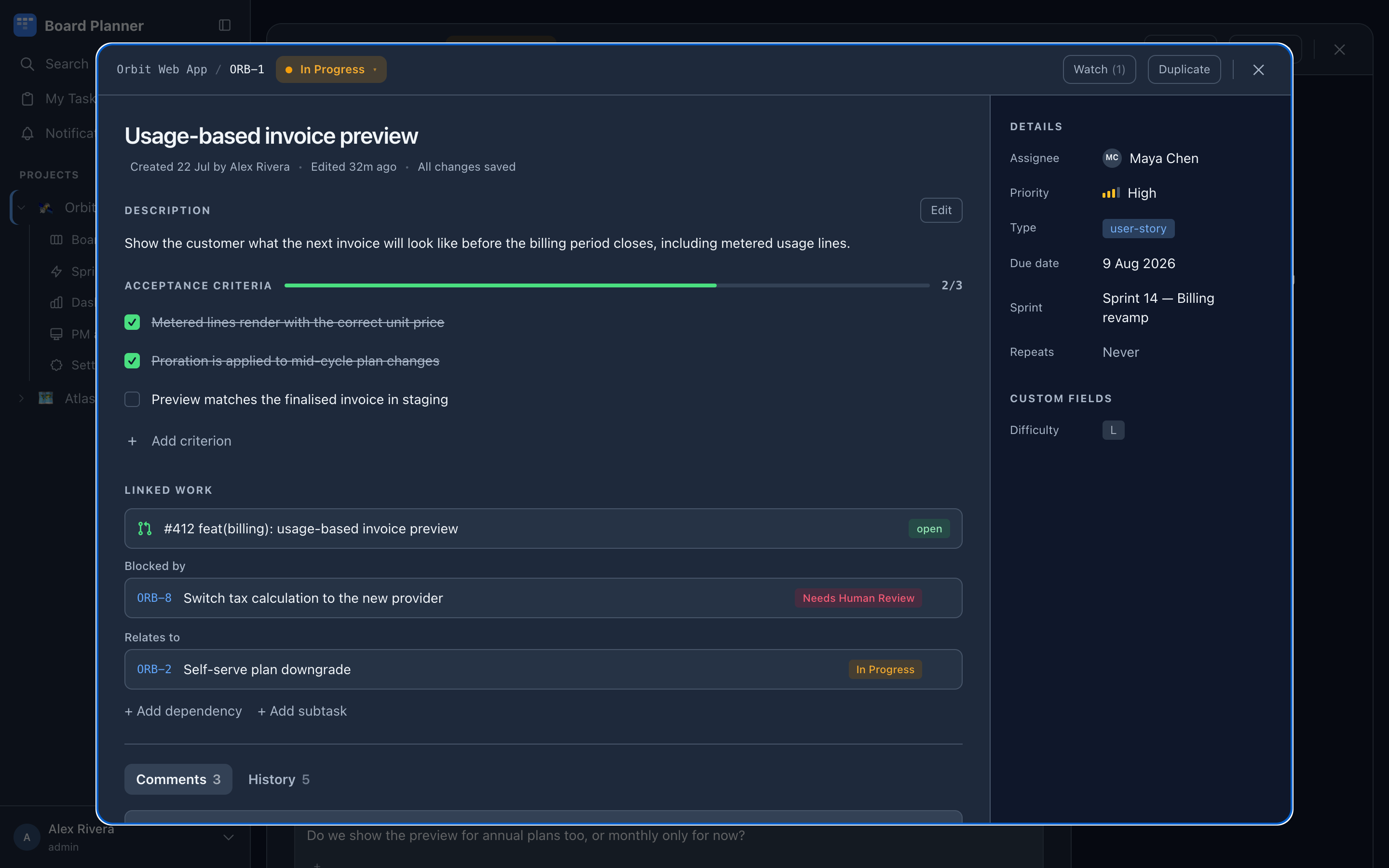
Clicking a card opens the task over the board. Everything about the task lives here.
The bar at the top carries a copy-link button, which puts the task’s own URL on the clipboard and says Copied! before going quiet again. The same button is on every board card and every list row, so you can hand somebody a link to a task without opening it.
The main column
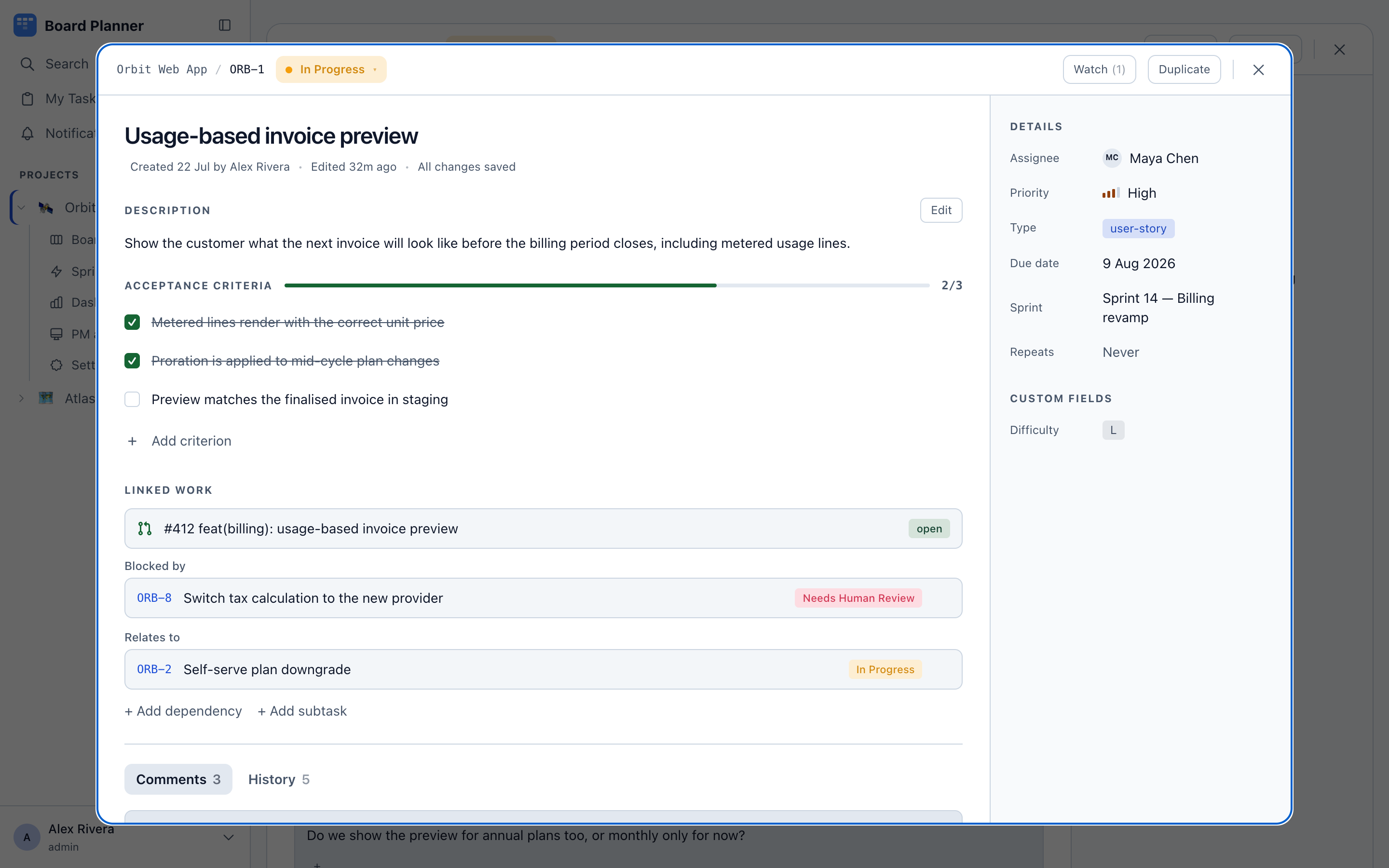
Section titled “The main column”- Title and status. The status chip at the top is a dropdown — changing it moves the task on the board. While an execution worker is running the task, moving it out of its column asks first, because that takes the work off the machine.
- Description. Markdown, with an Edit toggle. Changes save on their own; the header tells you when everything is saved. Typing the project key —
ORB-— offers other tasks to link to, and@offers people. - Acceptance criteria. A checklist with a progress bar. Add a line with Add criterion, tick items as they are met. Task references and
@mentionswork in these lines too. This is the same field the API and MCP callacceptanceCriteria. - Linked work. Pull requests matched to the task key, each with its state in words — merged, e2e failed, open — plus dependencies and subtasks. Refresh PR status asks GitHub again and says whether anything changed; it appears once the task has a linked GitHub pull request. It re-reads the whole repository, like any sync, but only this task can be moved by it — see Integrations.
- Comments and History at the bottom.
The details rail
Section titled “The details rail”On the right: assignee, agent, priority, type (category), due date, sprint, repeat rule, and every custom field the project defines. Below them, who reported the task, and Delete task.
The Agent row
Section titled “The Agent row”This is the one field that decides what executes. Naming an agent is the hand-over: a machine belonging to the task’s assignee picks the task up and runs that agent. No agent is the ordinary state and means a person is doing the work — see Agents for what may be chosen and by whom.
The picker shows each agent’s description under its name. An agent whose sequence contains a Merge step carries a Merges without a person marker: it merges its own pull request, and nobody looks before the change lands. The marker is read off the agent’s steps, so it cannot disagree with what the agent does.
How handing work to an agent works, under the picker, opens the three rules and a link to execution workers.
Why nothing is running it
Section titled “Why nothing is running it”Choosing an agent is not on its own enough, and the row says so rather than leaving you to watch nothing happen. It lists everything that is missing at once — fixing one thing never merely reveals the next. One problem reads as a sentence; several read as a list:
Nothing will run this yet:
- A machine only looks at the column work is approved in — move it there when it is ready.
- A machine takes only work its owner assigned to themselves — assign it to yourself.
- This board names no repository, so no machine can match it — the board’s owner can add one in Project settings → Integrations.
What it can name, and who fixes each:
| Missing | Who fixes it |
|---|---|
| The task is not in the column work is approved in | Anyone who can edit the task, by moving it there |
| Nobody is assigned | The person who will run it, by assigning it to themselves |
| Somebody else assigned it, or the PM did on somebody else’s instruction | The person it is assigned to, by assigning it to themselves |
| It was assigned before the board recorded who hands work over | The person it is assigned to, by assigning it to themselves again |
| It waits on an unfinished blocker — named by key | Whoever finishes that blocker; the task is taken once it reaches a done column |
| Machines have already tried it as many times as they may | A person — nothing hands it to a machine again, so this is the only reason the row gives |
| The board names no repository | The board’s owners, in Project settings → Integrations |
| Agent runs are off for the board | The board’s owners, in Project settings → Workers |
| An instance admin has locked agent runs off for the board | An instance admin — not the board’s owners — in Project settings → Workers; the lock wins even when the owners have switched runs on. On a board that is locked and switched off, both are said, the lock first: Agent runs are also off — once the lock is lifted, the board’s owner can switch them on. |
| The board has no column for a role a run needs — Ready to pick up, In progress, Awaiting review or Done | The board’s owners, in Project settings → Board |
| You have no machine connected with the board’s repository checked out | You — connect one |
| Your machine has not reported in for five minutes, or is switched off | You — check it is running |
| Your machine is connected but an instance admin paused or stopped it, from the fleet console | An instance admin, in Settings → Workers — the row says so, and offers the link only to an instance admin. A pause or resume made on the machine itself is not reported to the board, so the row cannot see it |
| Your machine is connected but its sandbox check failed | You — the menubar app says what to fix. It is the one preflight check that stops a machine taking work; any other failed check does not change what the row says |
Your machine is connected but its worker refuses its checkout of this board — kept in a directory it will not work in, such as /private/tmp, writable by other users, or not a repository of its own (from 1.1.2; before, the row said it was waiting) |
You, on the machine — the row says what is wrong with the checkout and what to do, for instance Move the checkout somewhere else, such as your home folder, and update repos.json on that machine. The worker picks the change up on its next refresh |
For the board’s own gaps it points at the board’s owner and names nobody. If you can change the board’s settings yourself — as one of its owners, or as an instance admin — it says you can instead.
The machine rows are only ever said to the assignee, about their own machines, and not while the board names no repository — no machine can serve it until it does. Nobody is told anything about another person’s machines.
Once nothing is missing, the row says what the task is waiting for instead of going quiet: Waiting for your machine to take it on your own task, Waiting for Karolina’s machine on somebody else’s. Come back to the window after connecting a machine, or after someone switches agent runs on or an instance admin resumes your machine, and the row reads it again.
The row says none of this — no problems and no waiting line — once the task has moved past the approved column: into progress, review or done. A machine has had its chance at it, and may be running it now.
The waiting line is still not a promise that a machine will take it. The row can see that a machine of yours reports a checkout of the board’s repository and that its worker accepted that checkout, but not whether the checkout has what the gates need — a lockfile, a build and a test script — or whether the machine is running something else; those are decided when the machine asks for work. See which tasks get picked up.
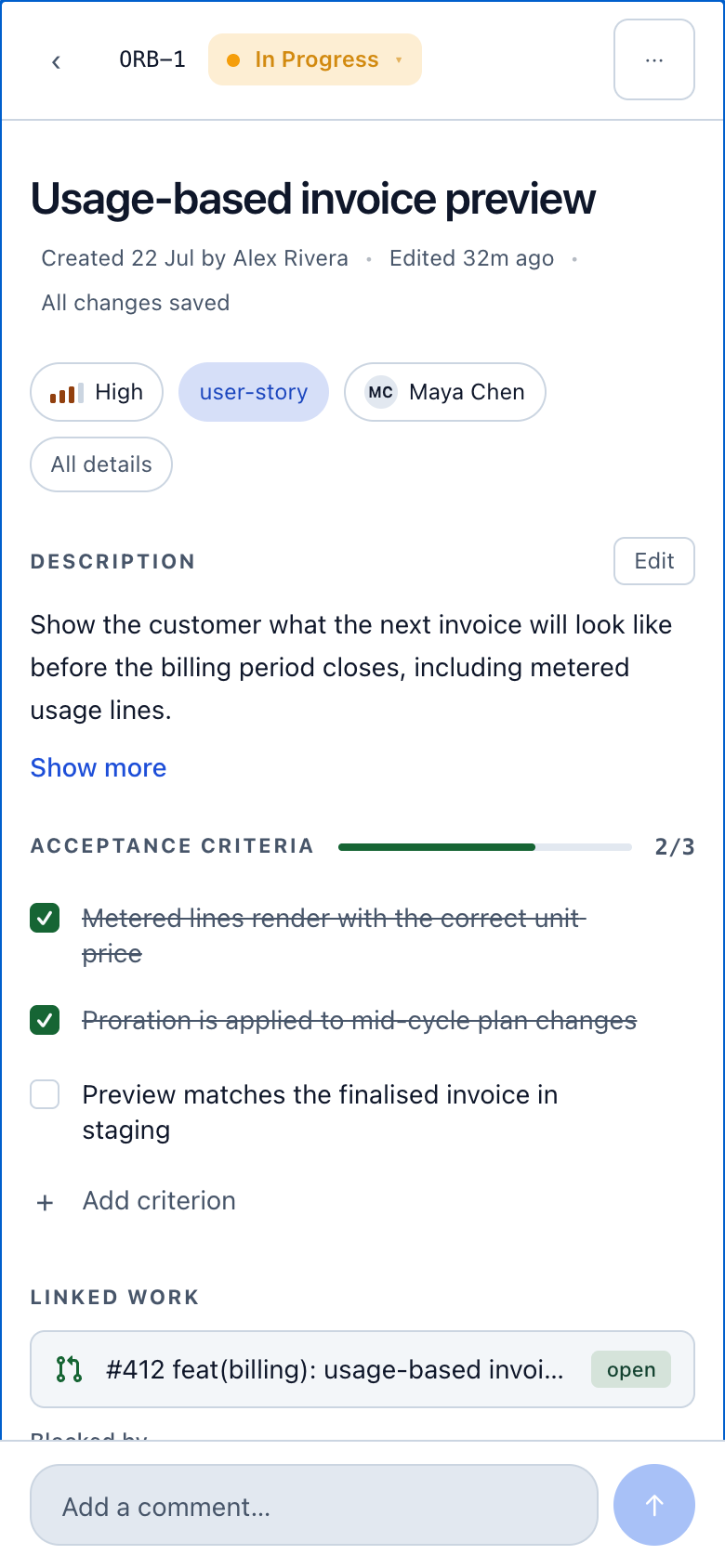
Watch subscribes you to notifications for the task and then reads Watching; the number beside it counts everyone watching. On a phone or a tablet it is Watch for changes in the overflow menu. Duplicate clones it — handy for recurring chores that are not on a schedule. The copy is titled Copy of …, trimmed to the 200-character limit a title has rather than refused for exceeding it.
The rail is only there on a wide screen. On a phone or a tablet the same fields sit in the All details sheet, and Delete task is also in the task’s overflow menu, two taps from an open task — through the same confirmation either way.
Two rows that stop being pickers
Section titled “Two rows that stop being pickers”- An assignee who has lost access to the board is still the assignee, and the row keeps naming them rather than showing Unassigned. They stay selectable, because re-saving the assignee a task already has is allowed; only moving the task to somebody who cannot reach the board is refused.
- An agent you are not allowed to choose still shows its name. Somebody else’s personal agent is not offered in the picker, so the row prints what the task carries instead of a control that would be refused on click.
Deleting a task a worker is running
Section titled “Deleting a task a worker is running”Deleting is refused while a run holds the task, and the refusal is a question rather than an error: a second dialog offers to do it anyway, the same shape as moving a held task out of its column. Say yes and the task and its comments are gone — a stronger outcome than a status change, which only moves it.
Repeats
Section titled “Repeats”Set Repeats to daily, weekly or monthly and the task recreates itself the moment it reaches a done column. The copy comes back with the same description and criteria, unticked.
Dark and mobile
Section titled “Dark and mobile”