Comments, history and watching
At the bottom of every task sit two tabs: Comments and History.
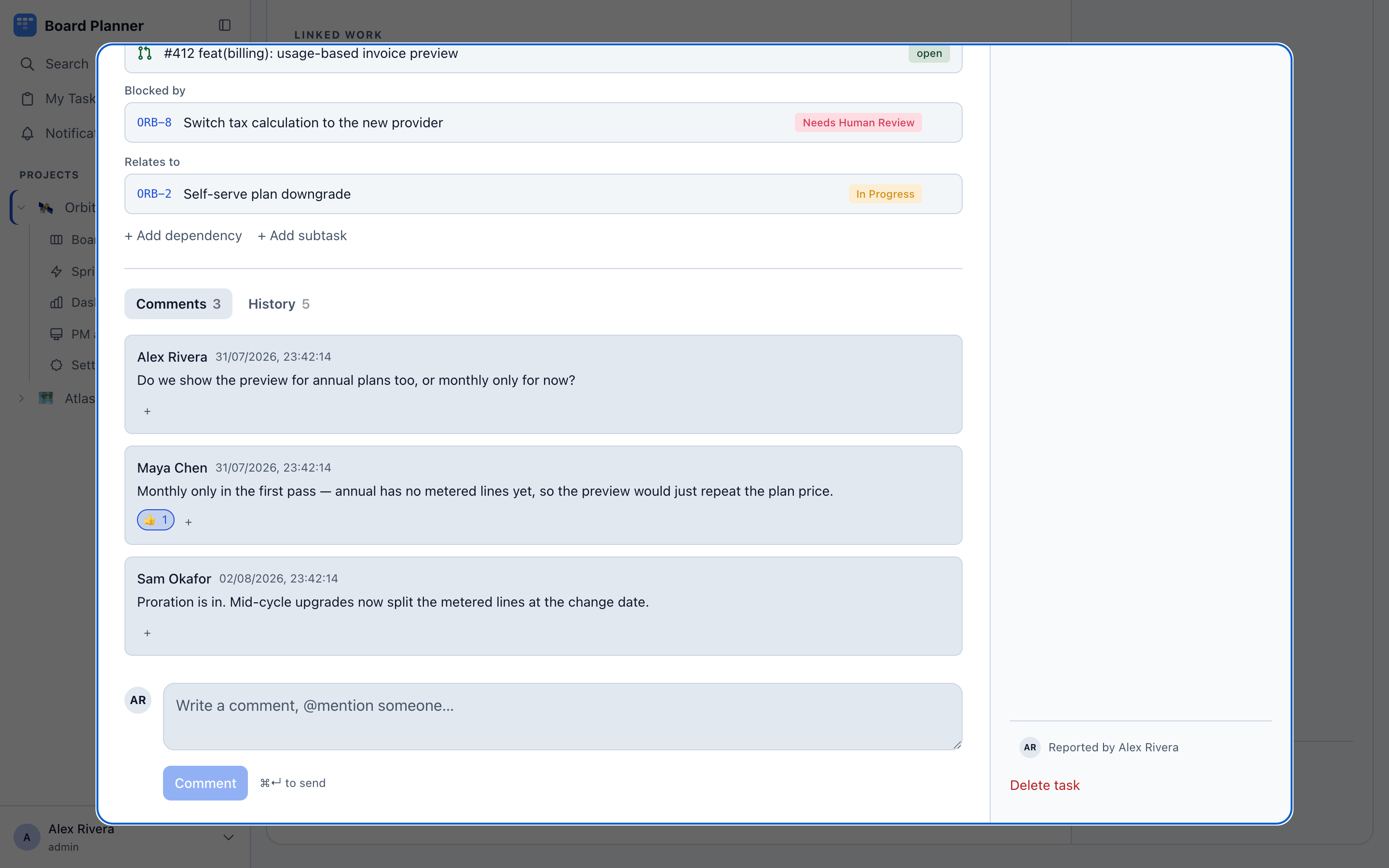
Comments
Section titled “Comments”Markdown, with @mentions that notify the person named. ⌘ + Enter posts. Anyone can react to a comment with an emoji, which is usually enough to close a question without adding another comment.
A comment holds up to 20,000 characters; the box stops taking text at that length. Comments are text only — they take no file uploads. Screenshots and files belong in the task’s description, which accepts a pasted or dropped file directly. See Creating and editing tasks.
⌘↵ posts without reaching for the mouse. Markdown is accepted and rendered, and @ offers people while the project key offers tasks — but the comment box is a plain field: the formatting toolbar and ⌘B / ⌘I belong to the description editor and are not here. Type the Markdown yourself.
Reacting, editing, deleting
Section titled “Reacting, editing, deleting”Six reactions: 👍 👎 ❤️ 👀 🎉 😄. The + beside them opens the palette — by click, by tap, or from the keyboard, and Esc closes it again — and choosing one you have already given takes it back. Hovering a count says who reacted. Reactions are the one thing here that leaves no entry in the task’s history — adding, editing and deleting a comment each write one.
You may edit and delete your own comments, and only your own. An edited comment is marked (edited) rather than changed silently. Deleting asks first.
Comments are also where automation reports in. A worker running a task posts its progress here — which gate rejected a diff, which pull request it opened — so the task’s comment thread doubles as the run log.
History
Section titled “History”What has changed on the task, newest first: who created it, each status transition with its before and after, field edits, comment activity, every dependency added or removed, and every pull request the sync linked to this task or took off it. The five most recent are shown until you expand it, and up to the last hundred entries can be shown; older ones are kept but not listed. Nothing here is editable; it is the audit trail for the task.
The tab keeps up with you: an edit you make on the task appears in it as soon as it is saved, without a reload.
The description is recorded too. Fields you type into — the title, the description and a project’s own text and number fields — save as you type, so a run of your edits to one of them is shown as a single entry: each edit within ten minutes of the one before, with nothing else recorded on the task in between. The entry carries the time of the last edit and says what the field was before the run and what it became. A choice — a dropdown, a checkbox, a date — is always shown change by change. For the description the entry reads edited the description, added a description when there was none, or removed the description when it was cleared, and What it said before under it opens the whole text as it stood when the run began. A run that brings the field back to where it started is not shown, since nothing changed.
A dependency is one act with two ends, so it is written on both tasks, each from its own side: the parent’s history reads made this task the parent of ORB-14, and ORB-14’s reads made ORB-9 the parent of this task. See Dependencies and subtasks for the third task a re-parent can touch.
A link row carries the pull request’s address rather than its number, because a board that has changed repository can hold two links numbered the same. Rows from the scheduled sync are written by nobody and read The repository sync — there is no person to name, and the alternative would be an author who cannot be asked about it. A sync you started yourself from Settings → Integrations or from Refresh on the task is written under your name.
Watching
Section titled “Watching”Watch on a task adds you to its watchers, and the button then reads Watching; the number beside it counts everyone watching. Watchers are notified about status changes, new comments, mentions, and dependencies added to or removed from the task. Assigning someone adds them automatically.