List view
List swaps the columns for a table. Same tasks, same filters, more density — and several fields are editable in place.
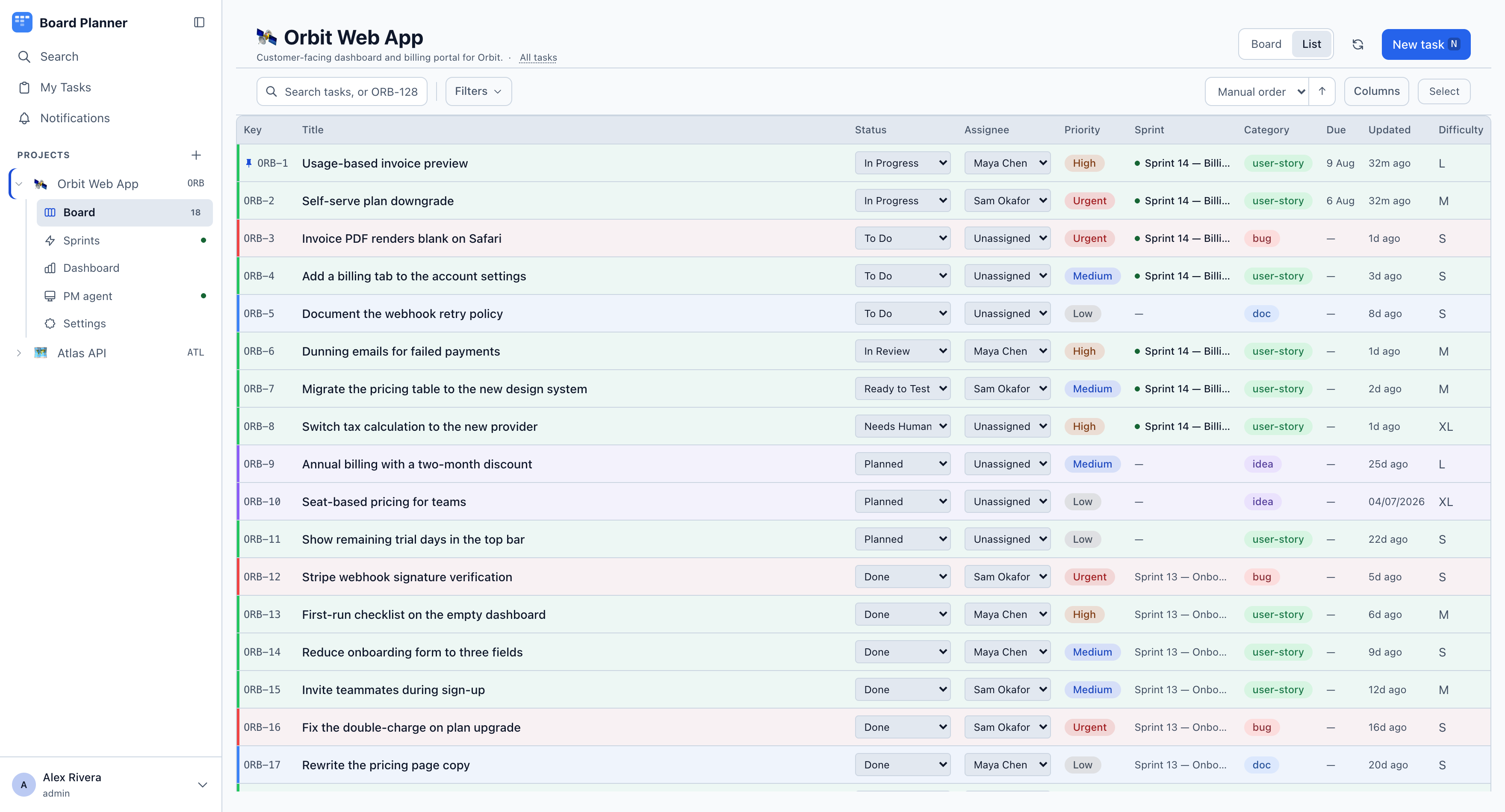
Columns: key, title, status, PR, assignee, priority and sprint. Category, due date, last update and one column per custom field you marked In the list are there too, but start switched off the first time you open this board, so the title keeps its width. Turn them on under Columns.
PR carries the state of each linked pull request and what its build says — see Integrations for what each badge means. It is the one column you cannot sort by, because there is no order of pull-request states anybody asked for. Clicking a badge opens the pull request in a new tab; on the board it is not a link, because the card itself is one.
Editing without opening a task
Section titled “Editing without opening a task”Status, assignee, priority, sprint, category and any Choice custom field open a picker when you click the cell. The assignee column shows initials, so it costs a circle rather than a name. A change saves immediately and shows up on the board straight away — useful when you are triaging twenty tasks and do not want twenty round trips through the task detail.
A pulsing dot beside the key means an execution worker is running that task; hover it for the machine and the phase. Amber and still means the worker has not reported for five minutes. Changing the status of such a task asks before it takes the task off the machine.
Choosing what you see
Section titled “Choosing what you see”Columns turns each column on or off, apart from key and title, including the ones that start hidden. Select works the same as on the board, for bulk actions.
Rows carry a drag handle, which appears on hover and on keyboard focus. Dragging one sets the project’s manual order — the same order the board’s Manual sort uses, so a list you arranged is a board you arranged.
The sort control offers three fields the board does not — status, assignee and sprint — because the list has a column for each of them.
Keyboard: J and K move between rows, Enter opens the focused row, V switches back to the board.